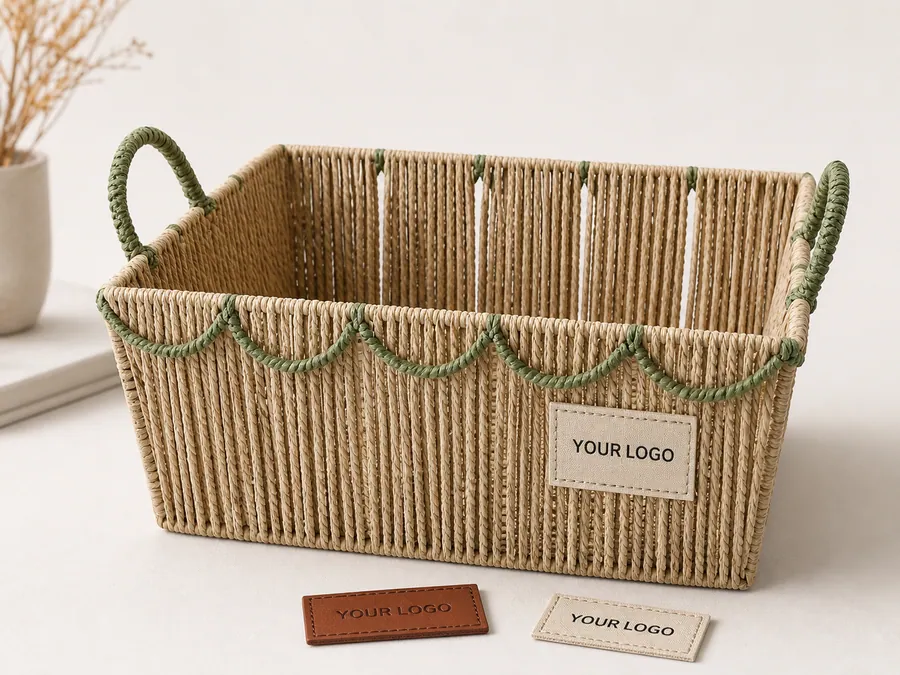
Retail label and barcode planning should begin before the first production sample is approved. A woven basket may have a textured surface, curved rim, fabric liner, removable tag, nested set structure, or master carton label. If the barcode data and label position are left until packing, the buyer may discover too late that the code is hidden, curved, rubbed, or assigned to the wrong selling unit.
This guide covers planning and approval records for basket orders. It does not promise barcode compliance, retail acceptance, or scan performance for every printed label. Buyers should confirm data rules with their retailer, marketplace, logistics partner, or standards provider. The supplier can apply the approved label, but the buyer must define the correct data and approval method for the program.
Direct answer: who controls barcode data for a basket order?
For a private-label basket order, the buyer or brand owner should confirm the identifier assigned to each selling or logistics unit and verify the applicable retailer, marketplace, warehouse, or logistics requirements. The supplier can prepare proofs, print approved labels, apply them in the approved position, and provide photo or scan evidence, but the supplier should not invent, reuse, or reinterpret an identifier without written buyer approval.
GS1 explains the purpose of its identification keys and the barcode symbols used to carry data in its barcode standards overview. These references do not replace the buyer's GS1 account, retailer routing guide, marketplace instructions, or destination-specific review. The buyer or brand owner remains responsible for confirming that its assigned identifiers and chosen symbols are correct for the program.
Item, inner-carton, and master-carton identification
| Identification level | What it normally identifies | Questions to approve before printing | Evidence to retain |
|---|---|---|---|
| Item or retail unit | One sellable basket, one color/size variant, or one defined nested set | Is the selling unit one piece or one set? Does each variant need different data? Will inner pieces ever be sold separately? | Approved data sheet, artwork proof, placement photo, and any buyer-required scan record |
| Inner carton or grouped pack | A buyer-defined group of retail units inside another carton | Does the warehouse require identification at this level? Is the quantity expressed as pieces, sets, or assortments? | Inner-carton layout, quantity record, label photo, and link to the relevant SKU list |
| Master carton or shipping case | The outer carton used for handling, counting, and receiving | Which PO, SKU, quantity, carton number, destination, or case data must appear? Does it match the packing list and carton artwork? | Approved carton mark, closed-carton photo, packing-list draft, and carton-number record |
An inner or master carton does not automatically need the same identifier as the retail item. The buyer should define each packaging level and its intended use before artwork approval. Where a retailer or logistics provider requires a particular case identifier or symbol, that requirement should be supplied and approved by the buyer.
Five-part barcode release checklist
Artwork
- Confirm final dimensions, symbol, quiet zones, human-readable text, print colors, label stock, language, and orientation.
- Keep an approved production file rather than relying on screenshots or email previews.
Data
- Confirm the buyer-assigned identifier, SKU, color, size, set count, and selling-unit definition.
- Match the approved data with the PO, carton artwork, packing list, and applicable buyer item file.
Placement
- Approve a dated photo showing the exact label position on the real product or approved sample.
- Check curvature, weave texture, nesting, liners, handles, rubbing points, and visibility after packing.
Scan evidence
- Define whether scanning is required, which packaging levels are checked, and what record the buyer accepts.
- A successful supplier-side check is evidence of the agreed check; it is not a guarantee of acceptance by every retailer or scanner.
Revision control
- Put a revision number or date on the data sheet, artwork, and placement approval.
- Withdraw obsolete files and repeat affected checks when the identifier, SKU, set definition, artwork, placement, or carton quantity changes.
Before shipment release, compare the approved barcode record with the carton marks and shipping documents and include the applicable label, scan, and carton evidence in the factory QC record.
1. Decide what the barcode identifies
The first decision is whether the code identifies a single basket, a nested set, a color variant, a size variant, an assortment, a case, or another logistics unit. A nested set should not accidentally carry separate sellable codes on inner pieces unless the buyer wants those pieces to be sold separately. A mixed carton should not use a case label that suggests every inner unit is identical if the assortment is different.
Write the selling unit in the specification and connect it to the barcode data. Include SKU, item description, color, size, set count, buyer item number, supplier item number if used, and revision. The same selling-unit definition should appear in the private-label packaging guide, carton mark file, packing list, and quotation.
If the buyer does not have final code data yet, mark the label as pending and state who owns the data. Do not let a placeholder code reach sample approval without a visible warning.
2. Confirm data owner, symbol, and artwork file
GS1 is an organization that provides barcode and identification standards used for products, cases, cartons, locations, and logistics units. Buyers using GS1 identifiers should confirm the correct identifier, barcode symbol, size, quiet zones, human-readable text, and data ownership through their own account or retail requirements. If another barcode system is used, document that system and the approval authority.
The artwork file should include the final code, label dimensions, material, print color, background color, orientation, language, care or origin wording if required by the buyer, and revision number. Send production-ready files when possible. If the supplier creates a proof, require buyer approval before printing labels in bulk.
Keep barcode data separate from decorative branding. A logo label can be approved visually while the barcode data remains wrong. Treat barcode proofing as a data-control step, not only a graphic-design review.
3. Choose a placement that stays flat and readable
Woven baskets create placement challenges. A sticker on a rough weave may not adhere well. A barcode wrapped around a curved rim may be harder to read. A hangtag may swing under a nested basket or fold during carton packing. A label on the bottom may be good for warehouse scanning but invisible in retail photography. Choose the placement for the actual workflow.
Use photos to approve placement. Mark the front, back, side, bottom, liner, hangtag, sleeve, belly band, or carton panel. Show the product in the retail display angle and in the packed orientation. If scanning is required before shipment, state the device or approval process chosen by the buyer or buyer's service provider.
For kids storage, laundry hampers, gift baskets, and desktop organizers, the best placement may differ. Do not copy one label position across a collection without checking scale, surface, set nesting, and retail presentation.
4. Link retail labels with carton marks
Retail labels and master carton labels should tell the same story. The item code, quantity, color, size, set count, barcode data, carton number, PO number, and destination should not conflict. If a carton contains multiple SKUs, the carton mark should show the assortment rule clearly.
The carton marks and shipping documents guide helps connect physical labels with invoice and packing-list fields. A receiving warehouse may use carton marks first and retail labels later. If those records disagree, the shipment can create questions even if every basket is physically correct.
Ask for a first packed carton photo that shows both retail labels and carton-level identification. This is especially important when the same basket shape is sold under different private labels or when several colors use similar packaging.
5. Include label checks in sample and inspection plans
A labeled sample should be reviewed for position, attachment, readability, language, data, surface interaction, and packing behavior. Photograph the label before packing, after nesting if applicable, after carton packing, and after reopening the trial carton. If the label is a hangtag, check the string or attachment point. If it is sewn, check stitch position and edge finish. If it is adhesive, check the surface and whether removal is expected.
Inspection should use the approved label file, not memory. The checklist can include correct SKU, correct barcode data, correct label material, correct position, no visible damage, readable human text, carton mark match, and scan evidence if required by the buyer. If scan evidence is required, define how many labels are checked and what record is acceptable.
The factory quality-control overview can support checkpoint planning, but the order specification must define the exact label criteria.
6. Manage changes before mass printing
Label changes are common: retailer item numbers arrive late, language changes, barcode data is updated, carton quantity changes, or a set is split into separate SKUs. Each change can affect artwork, label stock, carton marks, packing list, and inspection. Use revision numbers and stop old files from being used.
Before labels are printed in quantity, confirm the latest artwork file, code data, position photo, quantity, spare rate if any, and approval owner. If several factories, packing sites, or product versions are involved, confirm which file applies to each location and SKU.
For OEM and ODM programs, label approval should sit beside material, color, size, and packaging approval. A basket is not ready for private-label production until the brand and data layer is controlled.
7. Use a retail label release checklist
Before production packing, confirm:
- selling unit, SKU, set count, color, and size;
- barcode data owner and final code file;
- barcode symbol, dimensions, quiet zone, orientation, and human-readable text;
- label material, finish, attachment, and position photos;
- language, care wording, origin wording, and legal responsibility assigned by the buyer;
- artwork revision number and obsolete-file control;
- sample proof and labeled product approval;
- scan or photo evidence required before shipment;
- carton mark, packing list, and invoice data alignment;
- action if code, quantity, or assortment changes after approval.
Send unresolved label questions with the RFQ package instead of leaving them for the packing line. Clear label planning prevents a small data issue from becoming a shipment hold, warehouse dispute, or relabeling cost.
8. Keep approval evidence with the shipment file
The final shipment file should include the approved artwork, barcode data source, labeled sample photos, placement approval, first packed carton photos, carton mark draft, packing list draft, and any scan record requested by the buyer. Keep those files with the product specification instead of storing them only in email threads. If a receiving team later questions a code, label location, or carton identity, the buyer and supplier can review the same approved evidence and decide whether the issue is a data problem, a placement problem, or a packing execution problem.