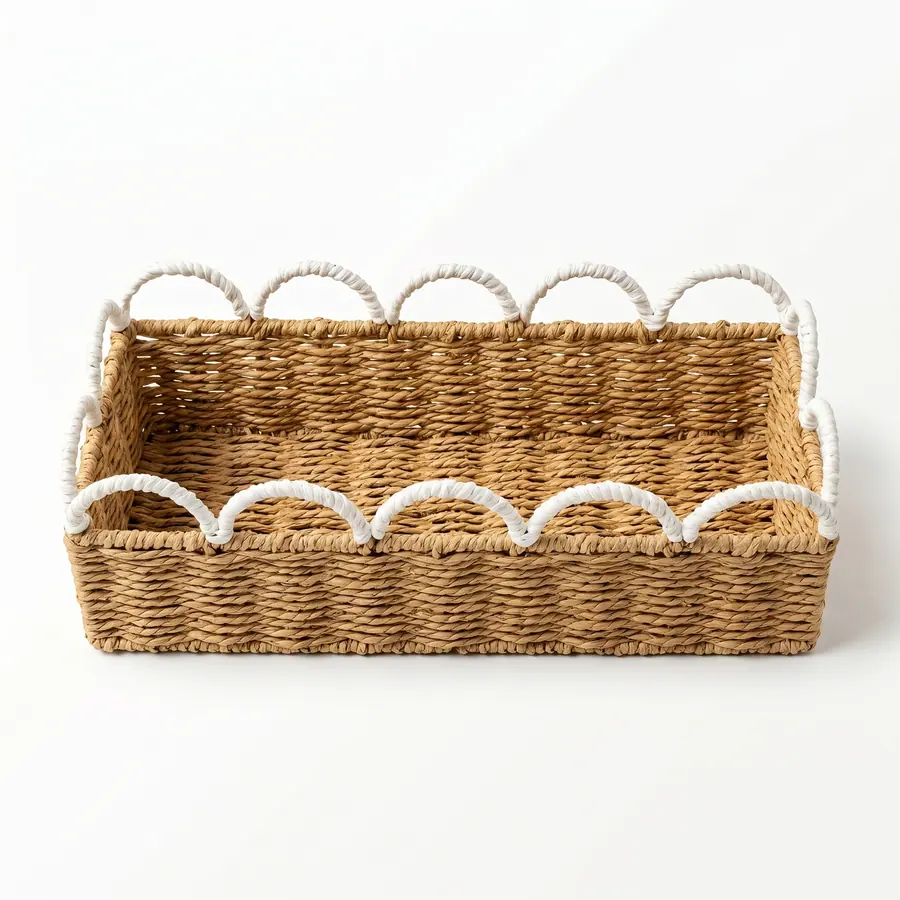
Product category pages speed sourcing only when browsing becomes a brief. Importers should record why each reference was saved, what it proves, what remains unknown, and which commercial path should follow. A category shortlist is not yet a supplier-ready RFQ.
This repositioned article starts from buyer browsing behavior. It does not replace a general RFQ guide; it explains how to convert category-page observations into quoteable instructions.
Write the reason beside every saved reference
For turning category pages into sourcing briefs, this checkpoint focuses on shape cue, material cue, handle detail, color direction, room use. The importer building a category shortlist should write the decision in buyer language and attach the reference that proves the intended result. If a supplier proposes a shortcut, the response should explain what changes in appearance, packing, sample approval, or commercial basis.
supplier knows which feature matters instead of copying everything. This is also where the buyer keeps evidence boundaries clear: project-specific load checks, tolerance ranges, compliance wording, and production timing are confirmed only when the method, owner, and acceptance rule are written for this exact program.
Split category notes into fixed and open fields
For turning category pages into sourcing briefs, this checkpoint focuses on fixed shape, open dimension, fixed material direction, open packing. The importer building a category shortlist should write the decision in buyer language and attach the reference that proves the intended result. If a supplier proposes a shortcut, the response should explain what changes in appearance, packing, sample approval, or commercial basis.
buyer avoids pretending a category page is a full specification. This is also where the buyer keeps evidence boundaries clear: project-specific load checks, tolerance ranges, compliance wording, and production timing are confirmed only when the method, owner, and acceptance rule are written for this exact program.
For category shortlist worksheet, the internal links in this article support distinct decisions rather than a generic reading path. Use the linked category or guide pages to clarify references, then keep the article's commercial path and RFQ step explicit in the buyer brief.
Choose a commercial path for the shortlist
For turning category pages into sourcing briefs, this checkpoint focuses on existing item, modified item, private-label pack, custom collection. The importer building a category shortlist should write the decision in buyer language and attach the reference that proves the intended result. If a supplier proposes a shortcut, the response should explain what changes in appearance, packing, sample approval, or commercial basis.
next step matches the buyer intent. This is also where the buyer keeps evidence boundaries clear: project-specific load checks, tolerance ranges, compliance wording, and production timing are confirmed only when the method, owner, and acceptance rule are written for this exact program.
Reduce options before contacting suppliers
For turning category pages into sourcing briefs, this checkpoint focuses on room, material, selling unit, target price tier, launch window. The importer building a category shortlist should write the decision in buyer language and attach the reference that proves the intended result. If a supplier proposes a shortcut, the response should explain what changes in appearance, packing, sample approval, or commercial basis.
shortlist becomes easier to quote than a broad mood board. This is also where the buyer keeps evidence boundaries clear: project-specific load checks, tolerance ranges, compliance wording, and production timing are confirmed only when the method, owner, and acceptance rule are written for this exact program.
| Category-page note | What it proves | RFQ conversion |
|---|---|---|
| shape cue | material cue, handle detail | supplier knows which feature matters instead of copying everything |
| fixed shape | open dimension, fixed material direction | buyer avoids pretending a category page is a full specification |
| existing item | modified item, private-label pack | next step matches the buyer intent |
| room | material, selling unit | shortlist becomes easier to quote than a broad mood board |
| saved link | reason, missing data | browsing evidence turns into structured supplier questions |
Build a category-to-brief worksheet
For turning category pages into sourcing briefs, this checkpoint focuses on saved link, reason, missing data, proposed RFQ instruction. The importer building a category shortlist should write the decision in buyer language and attach the reference that proves the intended result. If a supplier proposes a shortcut, the response should explain what changes in appearance, packing, sample approval, or commercial basis.
browsing evidence turns into structured supplier questions. This is also where the buyer keeps evidence boundaries clear: project-specific load checks, tolerance ranges, compliance wording, and production timing are confirmed only when the method, owner, and acceptance rule are written for this exact program.
Send the brief rather than the browsing trail
For turning category pages into sourcing briefs, this checkpoint focuses on selected links, annotated notes, quantities, destination, deadline. The importer building a category shortlist should write the decision in buyer language and attach the reference that proves the intended result. If a supplier proposes a shortcut, the response should explain what changes in appearance, packing, sample approval, or commercial basis.
supplier receives a controlled request and marks assumptions. This is also where the buyer keeps evidence boundaries clear: project-specific load checks, tolerance ranges, compliance wording, and production timing are confirmed only when the method, owner, and acceptance rule are written for this exact program.
Before release, the importer building a category shortlist should send one file containing the selected references, the decisions above, quantities by variant, destination market, artwork status, pack-out expectations, inspection evidence, and unresolved questions. Submit the controlled request through product category path; if the commercial path is not the final inquiry page, use it for selection and then move the confirmed brief to RFQ.
A useful turning category pages into sourcing briefs record is narrow. It answers the manifest question for this article and points to other pages only when the buyer needs a different decision, such as material selection, factory checks, sample development, or quote comparison. That focus helps avoid cannibalizing adjacent sourcing guides.
Category shortlist notes before sending suppliers links
For category shortlist briefing, the buyer should reduce the saved pages to a small number of anchors. One link may define shape, another may define material, and a third may define label or room use. Sending twenty category screenshots without notes makes the supplier guess which feature matters most.
The final sourcing brief should say which references can be mixed and which cannot. If the buyer likes the shape from one page and the material from another, the supplier should confirm whether that combination is feasible before preparing a price. This is how category browsing becomes faster sourcing instead of longer correspondence.
A practical category-page example is a buyer saving one paper rope reference for material, one desktop reference for scale, and one packaging reference for label placement. The supplier should receive those reasons in a worksheet, not three unexplained screenshots. The resulting brief can ask whether the combination is feasible before time is spent on a misleading quotation.
The buyer should also keep a rejected-reference column in the category worksheet. A page may be rejected because the shape is wrong, the material does not fit the target room, or the visible trim conflicts with the desired label plan. Recording rejected references keeps the supplier from proposing similar items again and makes the shortlist faster to refine.
For the category-to-brief route, begin in the product catalog, use paper rope baskets and desktop storage baskets as annotated reference sources, organize open questions with the RFQ checklist, and send the cleaned brief through RFQ.