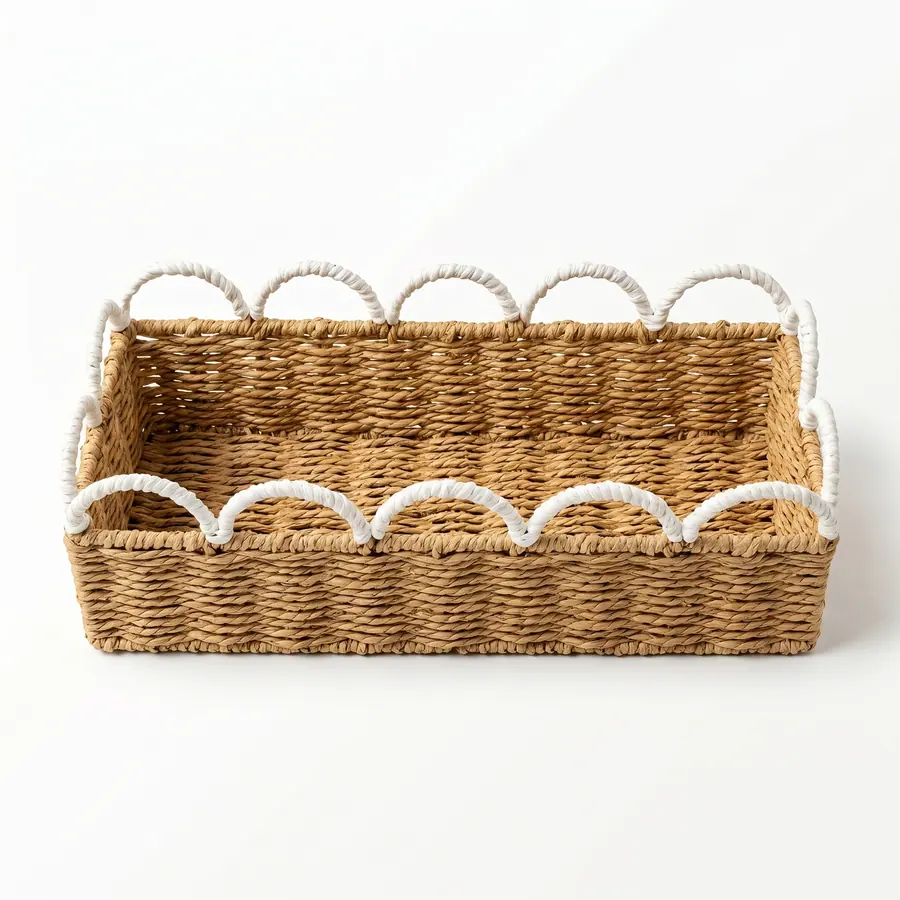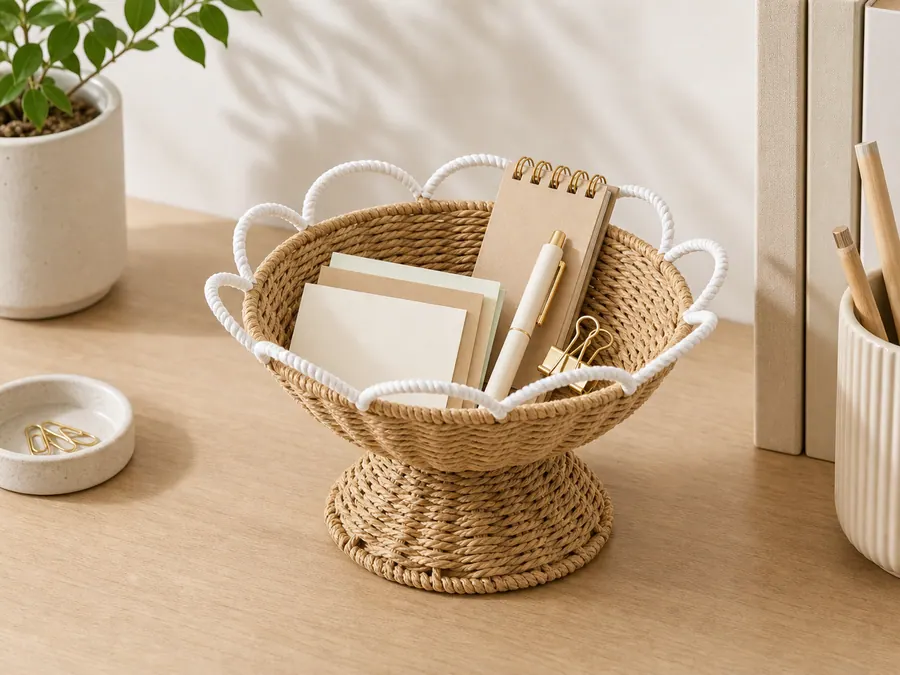
Desktop storage baskets are small enough that overlooked details become obvious immediately. Rim thickness, base contact, usable depth, label face, divider position, loose ends, and packed shape can decide whether a desk organizer feels useful or awkward.
This guide is about detail approval for small woven organizers. It does not turn subjective words such as neat, premium, or sturdy into unsupported product claims.
Inspect the rim where hands and papers move
For desktop storage basket detail review, this checkpoint focuses on rim height, trim route, loose ends, paper insertion, front edge. The desktop basket buyer should write the decision in buyer language and attach the reference that proves the intended result. If a supplier proposes a shortcut, the response should explain what changes in appearance, packing, sample approval, or commercial basis.
buyer sees whether the opening works during daily desk use. This is also where the buyer keeps evidence boundaries clear: project-specific load checks, tolerance ranges, compliance wording, and production timing are confirmed only when the method, owner, and acceptance rule are written for this exact program.
Test the base with desk contents inside
For desktop storage basket detail review, this checkpoint focuses on pens, clips, cards, notepad, cable bundle, small planter. The desktop basket buyer should write the decision in buyer language and attach the reference that proves the intended result. If a supplier proposes a shortcut, the response should explain what changes in appearance, packing, sample approval, or commercial basis.
filled sample photo reveals tilt or wobble. This is also where the buyer keeps evidence boundaries clear: project-specific load checks, tolerance ranges, compliance wording, and production timing are confirmed only when the method, owner, and acceptance rule are written for this exact program.
For desktop sample desk test, the internal links in this article support distinct decisions rather than a generic reading path. Use the linked category or guide pages to clarify references, then keep the article's commercial path and RFQ step explicit in the buyer brief.
Measure access instead of only outside size
For desktop storage basket detail review, this checkpoint focuses on usable depth, inside width, finger clearance, divider position. The desktop basket buyer should write the decision in buyer language and attach the reference that proves the intended result. If a supplier proposes a shortcut, the response should explain what changes in appearance, packing, sample approval, or commercial basis.
contents can be removed without deforming the basket. This is also where the buyer keeps evidence boundaries clear: project-specific load checks, tolerance ranges, compliance wording, and production timing are confirmed only when the method, owner, and acceptance rule are written for this exact program.
Place labels away from the active working side
For desktop storage basket detail review, this checkpoint focuses on hangtag, underside sticker, sleeve, bag label, carton mark. The desktop basket buyer should write the decision in buyer language and attach the reference that proves the intended result. If a supplier proposes a shortcut, the response should explain what changes in appearance, packing, sample approval, or commercial basis.
branding supports sale without blocking use. This is also where the buyer keeps evidence boundaries clear: project-specific load checks, tolerance ranges, compliance wording, and production timing are confirmed only when the method, owner, and acceptance rule are written for this exact program.
| Missed desktop detail | Risk if ignored | Photo evidence |
|---|---|---|
| rim height | trim route, loose ends | buyer sees whether the opening works during daily desk use |
| pens | clips, cards | filled sample photo reveals tilt or wobble |
| usable depth | inside width, finger clearance | contents can be removed without deforming the basket |
| hangtag | underside sticker, sleeve | branding supports sale without blocking use |
| unit wrap | master carton, recovery photo | desktop basket still matches listing photos after unpacking |
Check packed shape after small-item compression
For desktop storage basket detail review, this checkpoint focuses on unit wrap, master carton, recovery photo, rim protection. The desktop basket buyer should write the decision in buyer language and attach the reference that proves the intended result. If a supplier proposes a shortcut, the response should explain what changes in appearance, packing, sample approval, or commercial basis.
desktop basket still matches listing photos after unpacking. This is also where the buyer keeps evidence boundaries clear: project-specific load checks, tolerance ranges, compliance wording, and production timing are confirmed only when the method, owner, and acceptance rule are written for this exact program.
Close the desktop RFQ with visual evidence
For desktop storage basket detail review, this checkpoint focuses on flat-surface photo, inside measurement, rim close-up, label proof. The desktop basket buyer should write the decision in buyer language and attach the reference that proves the intended result. If a supplier proposes a shortcut, the response should explain what changes in appearance, packing, sample approval, or commercial basis.
supplier answers detail questions before final price. This is also where the buyer keeps evidence boundaries clear: project-specific load checks, tolerance ranges, compliance wording, and production timing are confirmed only when the method, owner, and acceptance rule are written for this exact program.
Before release, the desktop basket buyer should send one file containing the selected references, the decisions above, quantities by variant, destination market, artwork status, pack-out expectations, inspection evidence, and unresolved questions. Submit the controlled request through desktop product references; if the commercial path is not the final inquiry page, use it for selection and then move the confirmed brief to RFQ.
A useful desktop storage basket detail review record is narrow. It answers the manifest question for this article and points to other pages only when the buyer needs a different decision, such as material selection, factory checks, sample development, or quote comparison. That focus helps avoid cannibalizing adjacent sourcing guides.
Desktop detail notes before final quote
For desktop basket detail control, the buyer should review the sample at the distance and angle of normal use. A rim detail that looks neat in a catalogue close-up can feel too high beside a keyboard. A base that looks acceptable on a shelf can wobble when a pen cup or cable bundle is added. The approval record should show the desk situation, not only a studio view.
The final quote should identify whether any divider, insert, or label is included. Small accessories are easy to overlook because they are inexpensive individually, yet they can change labor and packing. If the buyer wants a clean desktop presentation, those minor components need the same version control as the woven body.
A practical desktop example is a round organizer placed beside a laptop with cards, clips, and a small notebook inside. The buyer should check whether the rim blocks access, whether the base wobbles when filled, and whether the label faces the user or the shelf. These observations turn a small decorative basket into a specific desk SKU.
The buyer should also review how the desktop basket appears beside other desk materials. Paper, ceramic cups, metal clips, charging cables, and laptop surfaces make rough edges or label glare easier to notice. A small contextual photo can prevent the sample room from approving a basket that looks fine alone but feels mismatched in the actual workspace.
One more desktop-specific control is unpacking review. The buyer should ask for a photo immediately after the basket leaves the unit wrap because small woven forms can hold temporary pressure marks. That photo helps separate an acceptable packing crease from a shape issue that should be corrected before repeat production.
For the desktop detail route, start with desktop storage baskets, compare adjacent small-space planning in the home office SKU guide, browse current options in products, and send the detail checklist through RFQ.